Opšta pitanja - Česta pitanja
Sve pitanja u ovom odeljku, sa potpunim odgovorima ispod. Svako pitanje ima svoju stranicu za lakše deljenje.
- Kako da odštampam stranicu za bojenje sa ovog sajta?
-
Otvorite bilo koju stranicu za bojenje na Bojanke.co i kliknite na dugme "Odštampaj ovu stranicu za bojenje" ispod slike — otvara se dijalog za štampu vašeg pregledača sa već pravilno podešenom veličinom stranice. Za najbolje rezultate, podesite veličinu papira na Letter (8.5×11") ili A4 (210×297mm), postavite margine na "Bez", i uključite "Pozadinsku grafiku". Pritisnite Štampaj i gotovo.
- Kako da preuzmem stranicu za bojenje kao PDF?
-
Svaka stranica za bojenje ima link "Preuzmi PDF za štampu" direktno ispod slike. Kliknite na njega i PDF se preuzima u podrazumevanu fasciklu za preuzimanja na vašem uređaju. PDF je unapred formatiran da se savršeno štampa na Letter ili A4 papiru u rezoluciji 1088×1088 px. Bez prijave ili vodenog žiga.
- Moj PDF sa stranicom za bojenje se ne otvara. Šta da radim?
-
PDF-ovi se možda ne otvaraju iz dva razloga: (1) preuzimanje je prekinuto, u tom slučaju ponovo kliknite na link i pustite da se završi; (2) nemate instaliran PDF čitač. Moderni pregledači (Chrome, Edge, Safari, Firefox) otvaraju PDF-ove ugrađeno, ali ako vaš to ne radi, instalirajte Adobe Acrobat Reader (besplatno) ili koristite ugrađeni PDF pregledač na iOS/Android. Kao rezervu, svaka PDF stranica je takođe vidljiva kao HTML stranica na Bojanke.co — samo koristite dugme za štampu umesto toga.
- Koju veličinu papira treba da koristim za štampu stranica za bojenje?
-
Letter (8.5×11") za Severnu Ameriku i A4 (210×297mm) za ostale regione — stranice za bojenje na Bojanke.co su dimenzionisane da se čisto štampaju na obe bez potrebe za podešavanjem razmere. Za veći format, podesite razmeru na 150% u dijalogu štampača (gubi se malo oštrine) ili koristite PDF preuzimanje koje čuva kvalitet na bilo kojoj veličini do 11×11 inča.
- Mogu li da štampam stranice za bojenje na obe strane?
-
Da — podesite štampač na "Štampaj na obe strane" ili "Duplex" pre nego što pritisnete Štampaj. Preporučujemo štampu na jednoj strani za decu koja koriste markere (koji mogu da probiju jeftin papir) i na obe strane za bojenje samo olovkama ili za uštedu papira.
- Da li su ove stranice za bojenje zaista besplatne?
-
Da. Svaka stranica za bojenje na Bojanke.co je besplatna za štampu, preuzimanje i korišćenje u lične, učioničke ili terapeutske svrhe. Nema prijave, nema e-mail kapije, nema vodenog žiga na PDF-ovima. Oslanjamo se na prikazne oglase da bi sajt ostao u funkciji.
- Da li treba da napravim nalog da bih preuzeo stranice za bojenje?
-
Nije potreban nalog, prijava ili e-mail. Posetite bilo koju stranicu, kliknite na Štampaj ili Preuzmi PDF, i to je to. Ne prikupljamo lične podatke od posetilaca koji samo žele da štampaju i boje.
- Mogu li da prodajem odštampane kopije ovih stranica za bojenje?
-
Ne. Bojanke.co licencira stranice za ličnu, učioničku i nekomercijalnu upotrebu samo. Prodaja odštampanih stranica, uključivanje u plaćeni proizvod (bojanku, Etsy oglas, plaćeni kurs, itd.) nije dozvoljeno. Pogledajte naše Uslove korišćenja za punu licencu.
- Imate li bojanke za odrasle?
-
Da — pored izbora za decu, imamo detaljne mandale, šablone u stilu vitraža, zamršene geometrijske i zentangle stranice, kao i sofisticiranije crteže likova koje odrasli uživaju. Pregledajte temu Umetnički stilovi ili potražite kategoriju "Za odrasle" za najdetaljnije dizajne. Odrasli vole bojenje zbog smanjenja stresa, fokusa i kreativne meditacije.
- Za koje uzraste su namenjene ove bojanke?
-
Svi uzrasti. Imamo jednostavne stranice sa debelim obrisima za malu decu (2-4 godine), klasične dizajne za decu (4-10), složenije crteže likova i tema (10+), i zamršene dizajne za odrasle (mandale, zentangle, detaljne scene). Svaka kategorija pokazuje da li sadržaj naginje ka jednostavnom ili detaljnom; pregledajte sličicu da procenite složenost.
- Mogu li da koristim ove bojanke u učionici ili za kućno školovanje?
-
Da — nastavnici, osoblje vrtića, bibliotekari, tutori i roditelji koji školuju decu kod kuće mogu slobodno da štampaju Bojanke.co stranice u neograničenim količinama za obrazovne svrhe. Štampanje u velikim količinama je u redu, deljenje veze sa roditeljima se podstiče, ali nemojte ponovo postavljati PDF-ove na vaš školski server (linkovanje je poželjno).
- Kako da pronađem određenu bojanku (npr. Spidermana ili Božić)?
-
Tri načina: (1) pregledajte po Temi putem gornje navigacije (npr. Likovi → superheroji), (2) skočite na abecedni indeks i izaberite slovo, ili (3) koristite URL obrazac /
direktno — na primer /spiderman ili /christmas-tree. Imamo preko 100.000 stranica organizovanih u 12 tema i 50+ kategorija, tako da većina tema ima namenske stranice. - Koliko bojanki ima na sajtu?
-
Preko 100.000 pojedinačnih varijacija bojanki u okviru 12 tema (Serije, Likovi, Teme, Posebna interesovanja, Umetnički stilovi, Sezonski i praznici, Fantazija, Pop kultura, Igračke, Profesije, Vozila, Razno), 50+ kategorija i hiljade jedinstvenih ključnih reči. Nove stranice se dodaju svake nedelje.
- Kako da podelim bojanku sa prijateljem?
-
Koristite red dugmadića za deljenje ispod svake bojanke (Facebook, X/Twitter, WhatsApp, e-pošta) — oni dele vezu ka stranici tako da vaš prijatelj dobija puni prikaz za štampanje, preuzimanje PDF-a i kredit nazad ka Bojanke.co. Molimo vas da ne šaljete PDF kao prilog; deljenje veze je brže i podržava sajt.
- Mogu li da zatražim temu za bojanku ili da pošaljem svoj crtež?
-
Da za oboje. Koristite vezu "Pošaljite bojanku" u podnožju da predložite novu temu — dodajemo nove ključne reči svake nedelje na osnovu zahteva posetilaca. Ako ste umetnik i želite da doprinesete, isti formular prihvata originalne umetničke radove. Prikazujemo radove posetilaca i dajemo zasluge umetniku.
 Bojanka Sonic Brzog Trkača
 Sladak Astronaut Koji Lebdi U Svemiru Na Stranici Za Bojanje
 Bojanka Wwe Rvač Skače Na Protivnika
 Bojanka Mario Skače Preko Goomba
 Magični Jednorog Na Stranici Za Bojanje Sa Duškom
 Hrabri Vatrogasac Koji Spašava Mačku Za Bojanje
 Slatki Uskršnji Zec Na Stranici Za Bojanje
 Šarena Cvetna Bašta Na Stranici Za Bojanje
 Slatka Hello Kitty Sa Mašnom - Bojanka
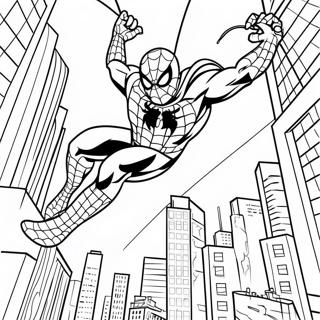 Spajdermen Se Ljulja Kroz Grad - Bojanka
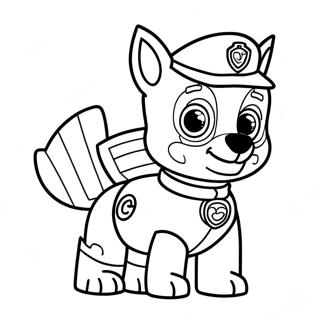 Bojanka Sa Čejzom Iz Patrole Pasa
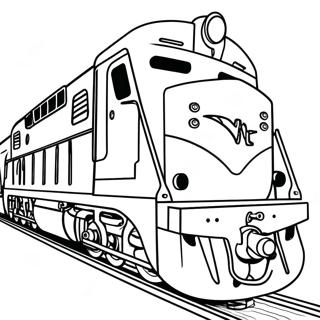 Šarena Stranica Za Bojanje Lokomotive